This article was written by Darlene Antonelli, MA. Darlene Antonelli is a Technology Writer and Editor for wikiHow. Darlene has experience teaching college courses, writing technology-related articles, and working hands-on in the technology field. She earned an MA in Writing from Rowan University in 2012 and wrote her thesis on online communities and the personalities curated in such communities.
This article has been viewed 2,601 times.
You can have both a PlayStation Plus and PlayStation Now account, but you might figure out that you don't need your PlayStation Now subscription. This wikiHow will teach you how to cancel a PlayStation Now subscription on PS4.
Steps
-
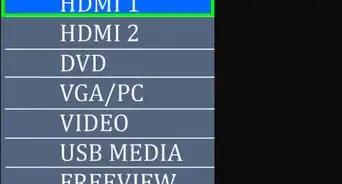
1Turn on your PS4 and TV. If your PS4 is already powered on, you can skip this step.
-
2Navigate to Settings and press ×. To get there, press UP on the left stick or directional pad from the Home screen, and scroll over to "Settings" next to an icon of a tool case.
-
3Navigate to PlayStation Network/Account Management and press ×. This is usually the fourth listing in the menu.
-
4Navigate to Account Information and press ×. This is usually the second listing in the menu.
-
5Navigate to PlayStation Subscriptions and press ×. You can use the left stick to navigate to the bottom of the menu.
- You'll see a list of all your active subscriptions.
-
6Navigate to your PlayStation Now subscription and press ×. The subscription's details will load.
-
7Press × again to select Turn Off Auto-Renew. Since this is the only button you can interact with on this page, it will be automatically selected.
- You'll get a confirmation screen that auto-renew for your PlayStation Now subscription has been turned off and you can turn it back on at any time. Press × to close this message.
- You'll be redirected back to the subscription's details screen where you will see the subscription's end date as well as the option to turn on auto-renew.[1]







References
About This Article

1. Turn on your PS4 and TV.
2. Navigate to Settings and press X.
3. Navigate to PlayStation Network/Account Management and press X.
4. Navigate to Account Information and press X.
5. Navigate to PlayStation Subscriptions and press X.
6. Navigate to your PlayStation Now subscription and press X.
7. Press X again to select Turn Off Auto-Renew.