This article was written by Darlene Antonelli, MA. Darlene Antonelli is a Technology Writer and Editor for wikiHow. Darlene has experience teaching college courses, writing technology-related articles, and working hands-on in the technology field. She earned an MA in Writing from Rowan University in 2012 and wrote her thesis on online communities and the personalities curated in such communities.
This article has been viewed 1,866 times.
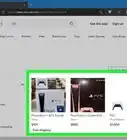
The PlayStation Network lets you subscribe to add-on services like PlayStation Plus and PlayStation Now right from your PlayStation. If you want to cancel a subscription you set up through PSN, you can do so in your Account Management settings in a web browser or on your gaming system. This wikiHow will show you how to cancel PlayStation Network subscriptions.
Steps
Method 1
Method 1 of 2:Using a Browser
-
1Go to account management. You can access the website from your computer, phone, or tablet. You can only cancel a subscription before its renewal date. For example, if your subscription renews on the 15th of each month and you cancel on the 16, you can not retroactively cancel the subscription for the 15th.
- Login if prompted.
-
2Click Subscription. You'll find this in the sidebar on the left side of the page.Advertisement
-
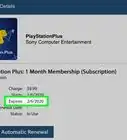
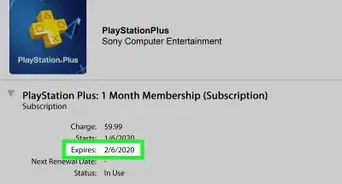
3Click Turn Off Auto-Renew next to the subscription you want to cancel. The subscription will be active until the date listed for the auto-renew.[1]Advertisement


Method 2
Method 2 of 2:Using a PS4 or PS3
-
1Go to Settings. You'll have to navigate to the right to find the option for settings. Press X on your controller to make selections.
- If you're using a PS3, you'll need to sign in to the PlayStation Network instead.
-
2Select Account Management. You'll see this option at the top of the page.
- Sign in if prompted.
-
3Select Account Information. You'll see this at the top of the page.
- If you're using a PS3, you'll see "Transaction Management" instead.
-
4Select PlayStation Subscriptions. You'll see this near the bottom of the page.
- If you're using a PS3, you'll see "Services List" instead.
-
5Select the subscription you want to cancel. Press the X on your controller to make a selection.
-
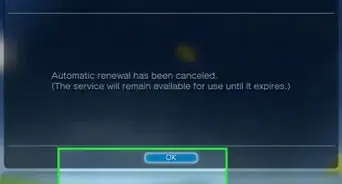
6Select Turn Off Auto-Renew. The subscription will be active until the date listed for the auto-renew.Advertisement






References
About This Article

1. Go to https://id.sonyentertainmentnetwork.com/id/management/#/p/psn_profile/ and sign in.
2. Click Subscription.
3. Click Turn Off Auto-Renewal next to the subscription you want to cancel.