X
This article was co-authored by wikiHow Staff. Our trained team of editors and researchers validate articles for accuracy and comprehensiveness. wikiHow's Content Management Team carefully monitors the work from our editorial staff to ensure that each article is backed by trusted research and meets our high quality standards.
This article has been viewed 9,323 times.
Learn more...
This wikiHow teaches you how to select a range of data in Excel and calculate its variance, using a computer.
Steps
-
1Open the Excel file you want to edit. Find the Excel file you want to edit on your computer, and open it.
-
2Click an empty cell. Find an empty cell on the sheet where you want to make your calculations, and click it.Advertisement
-
3Click the fx button. This button is located next to the formula bar in the upper-left corner of your spreadsheet. It will open the Formula Builder panel on the right-hand side of your screen.
-
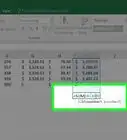
4Scroll down and double-click VAR.P. This function calculates variance based on the entire population. Double-clicking will insert the empty variance function into the selected cell.
- Alternatively, you can select VAR.S. This function estimates variance based on a sample instead of calculating an entire population's variance.
-
5Select the range of data you want to plug into the formula. Click your first data point on the spreadsheet, and drag the mouse until the end of the data set. This will plug all the values in the selected range into your variance formula.
-
6Hit Enter or Return on your keyboard. This will process the selected data set, and calculate its variance. The numeric result will show up in the selected cell.Advertisement





About This Article

wikiHow Staff
wikiHow Staff Writer
This article was co-authored by wikiHow Staff. Our trained team of editors and researchers validate articles for accuracy and comprehensiveness. wikiHow's Content Management Team carefully monitors the work from our editorial staff to ensure that each article is backed by trusted research and meets our high quality standards. This article has been viewed 9,323 times.
How helpful is this?
Co-authors: 1
Updated: February 26, 2018
Views: 9,323
Categories: Microsoft Excel
Advertisement