This article was co-authored by Stan Kats. Stan Kats is a Professional Technologist and the COO and Chief Technologist for The STG IT Consulting Group in West Hollywood, California. Stan provides comprehensive technology solutions to businesses through managed IT services, and for individuals through his consumer service business, Stan's Tech Garage. Stan holds a BA in International Relations from The University of Southern California. He began his career working in the Fortune 500 IT world. Stan founded his companies to offer an enterprise-level of expertise for small businesses and individuals.
This article has been viewed 92,714 times.
This wikiHow teaches you how to buy a domain name for a website.
Steps
-
1Go to a registration site. Open a web browser and navigate to a site that registers domain names. Popular sites include:
-
2Choose a domain name. Use a name that best suits the nature of your website.
-
3Check to see if your domain name is available. Registration sites typically have a search field on their home page. Type the domain name you want into this field and press ⏎ Return.
- Sometimes the name won't be available for one type of domain, such as .com, but it may be available with a .net, .biz, or .co, for example.
- Certain suffixes are only available for certain types of organizations: .edu is reserved for educational institutions; .org is used for nonprofits, and .gov or .us are used for government sites.
- Some services like GoDaddy let you put in a backorder request if a domain name is already taken. If the domain doesn't get renewed by its current owner, you can bid for it.[2]
-
4Select the domain you want to buy.
-
5Choose how many years you want to pay for. Domain names need to be renewed on a regular basis, so you'll need to decide the number of years for which you want to register your domain.
- Typically, you can register a domain for up to 10 years at a time.
-
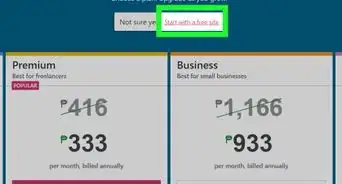
6Select additional services. If you want to purchase additional services, such as web design, hosting, or extra email addresses, add them to your cart before you check out.
-
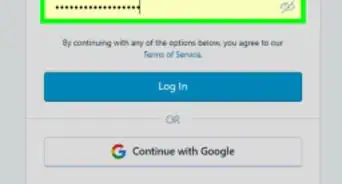
7Pay for your domain name and services. You are now the owner of the domain name.
- You can now start building your website or move your existing site to your new domain.


Community Q&A
-
QuestionCan you get a domain without a registrar?
 Stan KatsStan Kats is a Professional Technologist and the COO and Chief Technologist for The STG IT Consulting Group in West Hollywood, California. Stan provides comprehensive technology solutions to businesses through managed IT services, and for individuals through his consumer service business, Stan's Tech Garage. Stan holds a BA in International Relations from The University of Southern California. He began his career working in the Fortune 500 IT world. Stan founded his companies to offer an enterprise-level of expertise for small businesses and individuals.
Professional TechnologistPossibly, as long as the old domain owner is ready to sell. You can reach them through a broker, who will handle the process for a fee. -
QuestionIs the domain name bouncing-ball.ca available?
 Community AnswerUsing domains.google.com you can see if it is available by typing it into the search field provided to you.



-Step-12-Version-2.webp)
References
About This Article

1. Visit a registrar like GoDaddy or Google Domains.
2. Search for an available domain.
3. Select the domain.
4. Choose your time and privacy preferences.
5. Choose additional service.
6. Process your payment.