X
wikiHow is a “wiki,” similar to Wikipedia, which means that many of our articles are co-written by multiple authors. To create this article, 11 people, some anonymous, worked to edit and improve it over time.
This article has been viewed 131,711 times.
Learn more...
With a simple trick, it's possible to burn files to CD/DVD R's multiple times. This process is called "burning with multi session" and it's easy even for inexperienced computer users to understand and perform.
Steps
-
1Insert a blank DVD-R, DVD+R or CD-R into your CD-Drive.
-
2Install Nero on your computer or any other CD/DVD burning software.
-
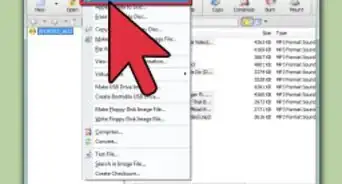
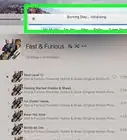
3Select the files to be written on the DVD and then click next, after you will be asked if you want to burn the DVD in multi session or not.
-
4Select "burn with multi session".
-
5Once the burning process is complete, insert the DVD again into your driver and this time you can write it in usual manner.
-
6Finished.


Community Q&A
-
QuestionHow do I convert a DVD-R to DVD-RW?
 Community AnswerYou can't convert a DVD-R; they're manufactured to only be written to, not erased. You'll have to buy some DVD-RW discs.
 -
QuestionHow can I format a DVD-R?
 Rudy TothCommunity AnswerYou don't need to format a DVD-R, for that is automatically done for you every time you record a non-copyright film (home movies/privately filmed footage).
 -
QuestionI copied a VHS tape to a DVD-R. How can I add another VHS tape to same DVD?Rudy TothCommunity AnswerYou probably need a compressor unit device to compress two films on one disc. Once a DVD R is finalized, there is no way to add another film to the open unrecorded space.
-
QuestionI accidentally burned a DVD-R and now it became a 2 KB DVD-ROM. How do I reverse this?Rudy TothCommunity AnswerYou can't reverse what is already charged to the disc. If you burned a DVD RW, then you can rewrite over the mistake and later erase it, then record over that again. But since you say it is a DVD R, then you will have to use a brand new one.
-
QuestionOnce I have burned onto a DVD+R once, can I burn more videos onto the disc later?Rudy TothCommunity AnswerNo. You would need a DVD RW to continue where you have left off, due to the space left on the disc.
-
QuestionIs this process - installing a burner software - for DVD+R too? Is there a another simple way to do it by the computer itself?Rudy TothCommunity AnswerA lot of burner drives comes with software to install into your computer and re-route the recording process to the external device. A DVD+R is another format option.
Warnings
- Do not use up the whole disk when you first burn the disk (read the next warning for an explanation).Thanks!
- Once you burn a file onto a DVD-R or CD-R, that portion of the disk cannot be changed, and is "read-only". Therefore, you will gradually lose disk space, if you are to keep adding files.Thanks!
Things You'll Need
- Blank CD-R or DVD-R
- Computer with disk burning capabilities (built-in disk drive, or an external drive)