X
wikiHow is a “wiki,” similar to Wikipedia, which means that many of our articles are co-written by multiple authors. To create this article, volunteer authors worked to edit and improve it over time.
This article has been viewed 27,311 times.
Learn more...
TikTok has enhanced privacy settings so that you are in control of who can see your account, comment on videos, view your videos, send you DMs, and more. One of those privacy settings include blocking. This wikiHow will show you how to block someone on TikTok.
Steps
Method 1
Method 1 of 3:Blocking Users
Method 1
-
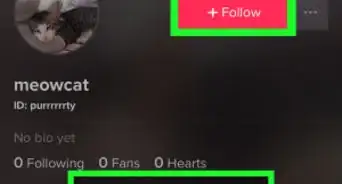
1Find the user's profile. The user can be found in your following/fans list. You can also search for the user with the search box.
-
2Tap on the triple dots at the top right corner. This will open a menu of options.
-
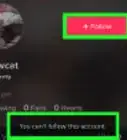
3Choose "Block" and confirm. The user's videos will disappear and you will see "You've blocked this user and unable to view this user's videos" in place of their videos. They will also not be able to view your videos and profile or follow you.


Method 2
Method 2 of 3:Unblocking Users
Method 2
-
1Find the user's profile. The user can be found in your following/fans list. You can also search for the user with the search box.
-
2Tap on the triple dots at the top right corner. This will open a menu of options.
-
3Choose "Unblock". You will see the user's videos again. They will be able to view your videos as well.


Method 3
Method 3 of 3:Managing Blocked Users
Method 3
-
1Tap on your profile icon in the bottom right corner.
-
2Choose the triple dots at the top right corner. This will open your settings.
-
3Choose "Privacy and Safety".
-
4Choose "My Block List".
-
5Choose "Unblock" by users you would like to unblock. You will see the user's videos again. They will be able to view your videos as well.


Community Q&A
-
QuestionHow do you block someone who has already blocked you?
 Community AnswerYou cannot do that. If someone blocks you, you cannot block them. You are already blocked by them.