This article was written by Darlene Antonelli, MA. Darlene Antonelli is a Technology Writer and Editor for wikiHow. Darlene has experience teaching college courses, writing technology-related articles, and working hands-on in the technology field. She earned an MA in Writing from Rowan University in 2012 and wrote her thesis on online communities and the personalities curated in such communities.
This article has been viewed 1,883 times.
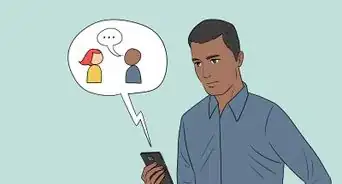
This wikiHow teaches you how to block unsolicited text messages on your Android or iPhone. You'll also learn some best practices for dealing with spam texts, including how to set up spam filters in your messaging app (Android only).
Steps
Method 1
Method 1 of 3:Blocking Phone Numbers on Android
-
1Open Messages. You'll want to open the default text messages app that comes with your phone.
-
2Tap the conversation you want to block. If you're using a Pixel, you'll need to long-tap on the conversation to get a pop-up menu, tap Block and skip the rest of this method.Advertisement
-
3Tap ⋮. You'll see this in the upper right corner of your screen.
-
4Tap Block Number. You'll generally find this with an icon of a circle and a line through it.
-
5Tap Block. You'll see this pop-up from the bottom of the screen as well as an option to delete the text conversation.
- You'll get a pop-up notification that you successfully blocked that number and won't receive phone calls or messages from them. The text message will still show up in your Messages app unless you opt to "Delete" the conversation.
Advertisement


Method 2
Method 2 of 3:Blocking Phone Numbers on iPhone
-
1Open the text message. You'll find the spam message in Messages. Just don't click on any links the spam message might contain.
-
2Tap the number at the top of your screen. You'll get a drop-down menu.
-
3
-
4Tap Block Number. You'll see this in the lower half of the menu.
-
5Tap Block to confirm. You'll see that you've blocked that number from contacting you via phone call or text message.Advertisement


Method 3
Method 3 of 3:Dealing with Spammers
-
1Do not respond. Many services say you can reply "STOP" to take your name off the spam list, but only if you trust the source of the text should you reply. If the organization that sent out the text is shady, you might just prove that they have a working number with a person on the other end and they will hound you more.[1]
-
2Report the spammer. You generally have the option to report the spammer's number to your carrier by forwarding the message to 7726.
-
3Filter out the spam (only some Androids). If you're using an Android phone, you can filter out spam calls and messages so you don't get notifications of each time they contact you.
- Open the Phone app and tap the three-dot menu icon in the upper right corner and tap Settings. Tap the option for Caller ID & Spam and tap the switches to turn on both Caller ID & Spam and Filter spam calls. Not all Android phones have this capability, but your carrier should offer something similar.
-
4Filter out the spam with your carrier. These extra features are generally an extra subscription fee that's added to your phone bill, but they can help manage calls and texts from spam sources.Advertisement




About This Article

1. Open Messages.
2. Tap the conversation you want to block.
3. Tap the three-dot menu icon.
4. Tap Block Number.
5. Tap Block.