This article was written by Nicole Levine, MFA. Nicole Levine is a Technology Writer and Editor for wikiHow. She has more than 20 years of experience creating technical documentation and leading support teams at major web hosting and software companies. Nicole also holds an MFA in Creative Writing from Portland State University and teaches composition, fiction-writing, and zine-making at various institutions.
The wikiHow Tech Team also followed the article's instructions and verified that they work.
This article has been viewed 13,232 times.
This wikiHow teaches you how to stop someone from contacting you on Tik Tok when you’re using an iPhone or iPad.
Steps
-
1Open Tik Tok. It’s the black icon with the white music note inside. You’ll typically find it on the home screen.
-
2Tap the magnifying glass. It’s at the bottom of the screen.Advertisement
-
3Type the person’s username into the search bar. It’s at the top of the screen.
-
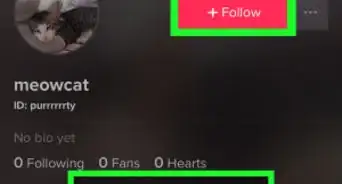
4Tap the person’s name or photo. This opens their profile.
-
5Tap the ⋯ menu. It’s at the top-right corner of the screen. A menu will expand at the bottom of the screen.
-
6Tap Block. You’ll immediately see a notification that the person can no longer message you.Advertisement


Community Q&A
-
QuestionHow do I block someone on TikTok without them knowing?
 Zhongli, Archon of Liyue (Aasim)Community AnswerThe user will not be notified when you block them; however, if a user is blocked, they will not be able to follow you or view your videos.
 -
QuestionIf I block someone on TikTok, can they still see my videos?Zhongli, Archon of Liyue (Aasim)Community AnswerBlocked users cannot see your TikTok videos or comments. When they try, they will see a message that says "You cannot view this user's videos due to their privacy settings."
-
QuestionHow do I see a list of the people I blocked on TikTok?Zhongli, Archon of Liyue (Aasim)Community AnswerGo to Your Profile > Settings > Privacy and Safety > My Block List. You can view your blocked friends there.



About This Article

1. Open Tik Tok.
2. Tap the magnifying glass.
3. Search for a username.
4. Tap their name or photo.
5. Tap ⋯
6. Tap Block.