This article was written by Darlene Antonelli, MA. Darlene Antonelli is a Technology Writer and Editor for wikiHow. Darlene has experience teaching college courses, writing technology-related articles, and working hands-on in the technology field. She earned an MA in Writing from Rowan University in 2012 and wrote her thesis on online communities and the personalities curated in such communities.
This article has been viewed 11,545 times.
When someone blocks you on Instagram, you are no longer able to view their profile, stories, or video/picture posts, but they can still see you. Since you can't view that person's profile, you can't block a person who has already blocked you, even if you remember their username. There is a workaround for this, though, which includes you turning your profile from public to private[1] . If you make your Instagram profile private, only those allowed to see your profile, stories, and posts will. This wikiHow will show you how to make your Instagram profile private.
Steps
Method 1
Method 1 of 2:Using a Phone or Tablet
-
1Open Instagram. The app icon is a camera inside a square that’s a gradient from yellow to purple. You can find this on your home screen, in the app drawer, or by searching.
-
2
-
3Tap ☰. A menu will slide out.
-
4Tap the settings icon. You’ll find this at the bottom of the menu.
-
5Tap Privacy. You’ll see more settings for privacy load.
-
6Tap Account Privacy.
-
7Slide the Private Account switch on . If you see , your account is private and only those with permission can view your account's actions, including your profile and story posts.[2]


Method 2
Method 2 of 2:Using a Computer
-
1Login to your Instagram account at https://instagram.com.
-
2Click your profile image or the silhouette icon. You'll find this in the top right corner of the Instagram page.
-
3Click the settings icon. You'll see this to the right of your profile name. A window will pop up.
-
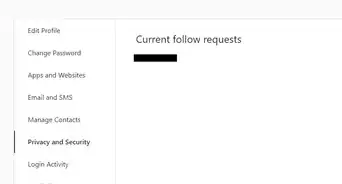
4Click Privacy and Security. You'll find this above Log Out.
-
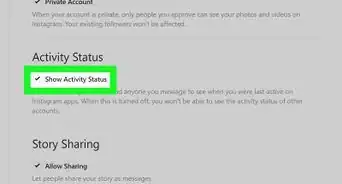
5Click to select the box next to "Private Account". Once you click the box to enable the account privacy, the settings will automatically save.[3]




References
About This Article

1. Open Instagram.
2. Tap your profile icon.
3. Tap the three-line menu.
4. Tap the settings icon.
5. Tap Privacy.
6. Tap Account Privacy.
7. Tap to slide the Private Account switch on.