X
This article was written by Nicole Levine, MFA. Nicole Levine is a Technology Writer and Editor for wikiHow. She has more than 20 years of experience creating technical documentation and leading support teams at major web hosting and software companies. Nicole also holds an MFA in Creative Writing from Portland State University and teaches composition, fiction-writing, and zine-making at various institutions.
This article has been viewed 5,443 times.
This wikiHow teaches you how to install and use the Opera browser app to enjoy an ad-free Twitter experience on your Android. Accessing Twitter through Opera allows you to view your feed without the promoted tweets.
Steps
-
1Download Opera for Android. Because promoted posts cannot be blocked in the Twitter app, you’ll need to use an app like Opera. Opera is a free browser with built-in ad blocking. Because of this feature, it works to block promoted tweets on Twitter.
- Open the Play Store .
- Search for opera.
- Tap Opera browser in the search results.
- Tap INSTALL. When the installation is complete, the “INSTALL” button will change to “OPEN,” and there’ll be an Opera icon in the app drawer.
-
2Open Opera. It’s the red “O” icon in the app drawer, and possibly your home screen.
-
3Tap ☰. It’s at the bottom-right corner of the screen.
-
4Tap the gear icon. It’s in the menu at the bottom of the screen. This brings you to the Settings screen.
-
5Tap Data savings. It’s under the “Browser” header.
-
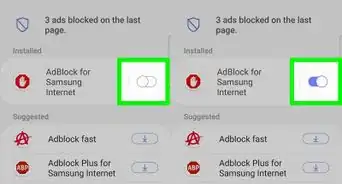
6Slide the “Enabled” switch to the On position. The switch will turn red. If the switch was already red, skip to the next step.
-
7Slide the “Block ads” switch to the On position. The switch will turn red. If the switch was already red, skip to the next step.
-
8Tap the back button twice. This brings you back to the main Opera browser.
-
9Type twitter.com into the address bar and press ↵ Enter. This brings you to the Twitter mobile website.
-
10Tap Log in.
-
11Enter your Twitter account information. The username is your email address, phone number, or Twitter handle.
-
12Tap Log in. Once your password is accepted, you will see your Twitter feed without promoted posts.



-in-Opera-Step-16-Version-2.webp)
About This Article

Nicole Levine, MFA
Tech Specialist
This article was written by Nicole Levine, MFA. Nicole Levine is a Technology Writer and Editor for wikiHow. She has more than 20 years of experience creating technical documentation and leading support teams at major web hosting and software companies. Nicole also holds an MFA in Creative Writing from Portland State University and teaches composition, fiction-writing, and zine-making at various institutions. This article has been viewed 5,443 times.
How helpful is this?
Co-authors: 4
Updated: January 27, 2018
Views: 5,443
Categories: Twitter | Android Applications | Ad Blocking