This article was co-authored by wikiHow Staff. Our trained team of editors and researchers validate articles for accuracy and comprehensiveness. wikiHow's Content Management Team carefully monitors the work from our editorial staff to ensure that each article is backed by trusted research and meets our high quality standards.
There are 7 references cited in this article, which can be found at the bottom of the page.
This article has been viewed 12,245 times.
Learn more...
With pretty much everything being online these days, it makes sense that banking would head in that direction, too. Online banking is simple, secure, and super convenient. You can use your online account to pay bills, withdraw cash, save up money, or anything else you’d use a standard bank account for. An online bank account is also really easy to set up. To help streamline the process for you, we’ve answered a few of the most common questions that folks have about banking online.
Steps
Question 1
Question 1 of 7:What is online banking?
-
1Online banking allows you to access your account through the internet. Also known as internet banking, online banking simply means you can access your bank account and make financial transactions on your smartphone, tablet, or computer. Basically, anywhere you have internet, you can access and use your online bank account.[1]
- You can check your balance at any time, pay bills or transfer money to other accounts, and even check your bank statements so you can stop getting those paper bills sent to you by mail.
- You can also monitor any investments you have linked to your account.
Advertisement

Question 2
Question 2 of 7:How do I set up online banking?
-
1Select the bank you want to use for your online banking. Choosing an online bank isn’t super difficult. The bank you already use may offer online banking services, so you can start by asking them what options they offer.[2] If your bank doesn’t offer online banking, or if their options don’t quite suit your needs, look up other banks that offer online banking services and see what they have to offer. Choose the one that works best for you.[3]
- Find out what fees, interest rates, and security a bank offers for their online services to help you choose one that fits your needs.
- If you choose to set up an online account with your current bank, you won’t need to provide the documents and info required to open an account because they already know you! It could save you some time and hassle.
- Most banks these days offer online services. In fact, some banks are only online banks and may have options that will work for you.
-
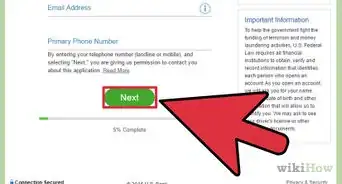
2Select the type of account you want and apply to open it. If you plan to use your online bank account as your main bank, you may want to open a checking account that you can use to store, withdraw, and transfer money whenever you need to. You can also choose to open a savings account if you want to start saving money. Whichever you choose, complete the bank’s application and submit the required materials such as a copy of your ID and your social security number or card. If you’re approved, you can start using your online bank account![4]
- Some banks may require different documents in order to open up an account and some may require you to open both a savings and a checking account.
- You may have to maintain a minimum balance in order to keep your account open. For instance, you might have to always have at least $50 in your account to avoid fees.
Advertisement

Question 3
Question 3 of 7:How do I do mobile banking?
-
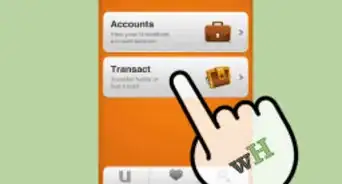
1Download your bank or credit union’s app and log into your account. Look up your bank’s mobile app in your smartphone or tablet’s app store. Choose the option to download the app and then open it up once it’s finished loading. Follow the prompts to set up your account and enter any info needed to prove that it’s you. Choose a username and password and you’re all set![5]
- You need to already have an account with a bank in order to set up mobile banking.
- If you have trouble accessing your account through the mobile app, contact your bank for assistance. They’ll be able to walk you through the process and provide any info you need to set up the app.
-
2Use the app to transfer funds, pay bills, and manage your money. One of the best things about mobile banking is how simple and convenient it is. Use the app to check your balance, transfer funds to other accounts, and even set up automatic payments for bills. Anytime a deposit is made in your bank account, it’ll be reflected in your mobile app. You’ll also be able to monitor charges and expenses in real-time.[6]
- If you’re having trouble navigating the app, check out the tutorial to learn how to use it!
- Most banks and credit unions also allow you to take a photo of checks to deposit them into your account.
Advertisement

Question 4
Question 4 of 7:Is it safe to bank online?
-
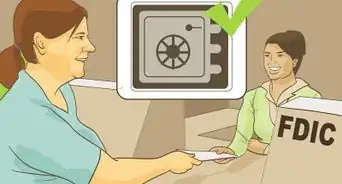
1Yes, as long as you choose a quality and secure bank. Check to make sure the bank is FDIC insured (they’ll usually have the FDIC logo on their site) and look up the bank’s rating from Bauer Financial, which assesses how secure and competent a bank is. You can also look for a lock icon in or near the address bar when you visit the bank’s website, which is a sign that the site is secure. Additionally, you can look up online reviews from customers to see if people have problems with the bank’s security.[7]
- Look for a bank that offers theft and fraud protection services. If someone does manage to access your account and use your money, your bank may be able to catch it early. They may even refund any money that was taken.
- Visit the Baur Financial rating site to look up a bank here: https://www.bauerfinancial.com/star-ratings/.

Question 5
Question 5 of 7:What is the best online bank?
-
1Axos Bank may be the best overall for online banking. While there are many online banks that offer a ton of great services, if you’re looking for a bank that offers quality checking accounts, savings accounts, and little to no extra fees, Axos may be the bank for you. However, if you’re looking for a bank that’s better for specific purposes, such as high-yield savings, cashback rewards, or the best customer service experience, there are plenty of other banks you can check out.[8]
- For instance, Ally Bank is considered to be the best for customer experience and Discover Bank may be the best for avoiding extra fees such as ATM fees and overdraft fees.
Advertisement

Question 6
Question 6 of 7:What is the easiest bank account to open online?
-
1An online checking account is the easiest to open. There are many you can open within just a few minutes. Look up online banks that offer checking accounts with fewer fees and higher interest rates (many are even better than traditional banks). Then, look at what they require in order to open an account, which is usually a form of identification and an existing bank account number you can use to route funds into your new online account. Click on the option to start a new account, fill out your info, and submit any necessary documents. You may be approved and able to use the account shortly after![9]
- A few of the most quality and easy-to-use online checking accounts include Chime, Ally, Axos, Radius, Discover, and Capital One.
- Many online checking accounts also don’t require fees to open!

Question 7
Question 7 of 7:Can I open an online bank account without any money?
-
1Yes, some banks do not require an initial deposit. While many banks often require a minimum account balance and an initial deposit whenever you start a new account, there are plenty of online banks that don’t. Look up an online bank that doesn’t require initial fees or deposits and submit an application to start up a new account![10]
- A few banks that don’t require an initial deposit to start an online account include Ally Bank, Capital One 360 Checking, Simple Checking, Varo, and Discover Bank.
Advertisement

Warnings
- Never give out your personal or financial information to an online bank unless it’s secure and a legitimate bank.Thanks!




References
- ↑ https://www.moneyadviceservice.org.uk/en/articles/beginners-guide-to-online-banking
- ↑ https://www.consumerfinance.gov/about-us/blog/online-mobile-banking-tips-beginners/
- ↑ https://www.nerdwallet.com/article/banking/open-bank-account-online
- ↑ https://www.nerdwallet.com/article/banking/open-bank-account-online
- ↑ https://www.consumerfinance.gov/about-us/blog/online-mobile-banking-tips-beginners/
- ↑ https://www.consumerfinance.gov/about-us/blog/online-mobile-banking-tips-beginners/
- ↑ https://www.businessinsider.com/personal-finance/online-banking-how-to-choose-online-bank
- ↑ https://www.forbes.com/advisor/banking/best-online-banks/
- ↑ https://www.nerdwallet.com/best/banking/online-checking-accounts
About This Article