X
This article was co-authored by wikiHow Staff. Our trained team of editors and researchers validate articles for accuracy and comprehensiveness. wikiHow's Content Management Team carefully monitors the work from our editorial staff to ensure that each article is backed by trusted research and meets our high quality standards.
This article has been viewed 3,460 times.
Learn more...
This wikiHow teaches you how to block a Skype contact and appear offline to them, using a computer. Blocking will prevent a contact from calling you, messaging you and seeing your status.
Steps
Method 1
Method 1 of 2:Using Mac
Method 1
-
1Open Skype on your computer. The Skype icon looks like a white "S" in a blue circle. You can find it in your Applications folder.
- If you're not automatically signed in to Skype, enter your Skype name, email or phone, and your password to log in.
-
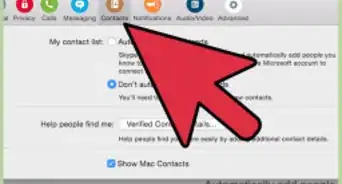
2Tap the Contacts button. This button looks like a figurehead icon next to your profile picture in the upper-left corner of the app window. It will open your full Contacts list in a pop-up window.Advertisement
-
3Tap the Skype tab in the Contacts window. This will show a list of all your Skype contacts.
-
4Right-click a contact's name. This will show your options on a drop-down menu.
-
5Click View profile on the right-click menu. This will open the selected contact's profile card.
-
6Scroll down and click Block contact. This option is written in red letters at the bottom of the profile card. You will have to confirm your action in a new pop-up.
-
7Click Block in the confirmation window. This will block the selected contact from calling you, sending you instant messages and seeing your status. You will always appear offline to them.Advertisement


Method 2
Method 2 of 2:Using Windows
Method 2
-
1Open Skype on your computer. The Skype icon looks like a white "S" in a blue circle. You can find it on the Start menu.
- If you're not automatically signed in to Skype, enter your Skype name, email or phone, and your password to log in.
-
2Click the CONTACTS tab. This button is located next to RECENT below the search bar on the left-hand side. It will open a list of all your contacts.
-
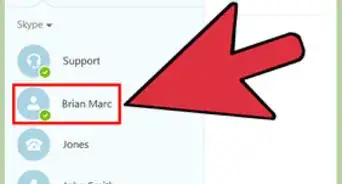
3Right-click a contact's name. This will show your contact options on a drop-down menu.
-
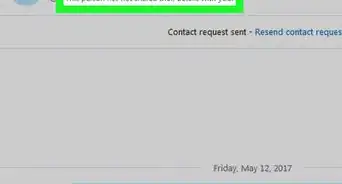
4Click Block This Person on the right-click menu. You will have to confirm your action in a new pop-up.
-
5Click Block in the confirmation window. This will block the selected contact from calling you, sending you instant messages and seeing your status. You will always appear offline to them.
- Optionally, you can check the Remove from your Contact list box here if you want to delete this contact forever.
Advertisement








About This Article

wikiHow Staff
wikiHow Staff Writer
This article was co-authored by wikiHow Staff. Our trained team of editors and researchers validate articles for accuracy and comprehensiveness. wikiHow's Content Management Team carefully monitors the work from our editorial staff to ensure that each article is backed by trusted research and meets our high quality standards. This article has been viewed 3,460 times.
How helpful is this?
Co-authors: 1
Updated: March 14, 2018
Views: 3,460
Categories: Skype
Advertisement