X
wikiHow is a “wiki,” similar to Wikipedia, which means that many of our articles are co-written by multiple authors. To create this article, 10 people, some anonymous, worked to edit and improve it over time.
This article has been viewed 35,712 times.
Learn more...
Few things feel better than getting to be a know-it-all. Stack Overflow gives you a chance to show off and help someone at the same time by answering other people's questions.
Steps
-
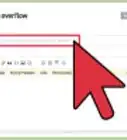
1Visit the Stack Overflow website.
-
2Click on Questions.
- You can then sort by newest, featured, frequently asked, questions that need voting, questions that are active, and questions that don't yet have an answer.
- If you don't find a question that you want to answer, consider searching by tag instead. By searching for a particular tag, you can find questions that are best suited to what you know a lot about.
Advertisement -
3Find a question that you think you can answer well. Click on the title of the question you want to answer. The question is listed in blue.
-
4Read the question carefully, as well as other answers that have already been posted. Figure out if you have any additional, relevant information to add.
-
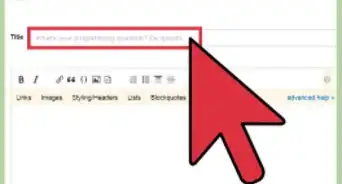
5Scroll down to see the answer box. Fill in your answer. You can add formatting including bold, italics, links, and images to enhance your answer.
-
6When you are finished, click on the 'Post your answer' button. The page will reload and your answer should show up in the next few minutes.
- If you need help formatting your answer visit Stack Overflow's editing help page here: http://stackoverflow.com/editing-help
-
7Once you have posted your answer, consider finding another question by clicking on a related tag, or re-searching the question page.Advertisement


Warnings
- Stack Overflow is a question and answer site, not a discussion forum. If you have input on something another user has posted, or want to thank somebody, leave it as a comment instead of posting a new answer.Thanks!
Advertisement
Things You'll Need
- A computer with Internet access




About This Article
Advertisement