X
This article was written by Jack Lloyd. Jack Lloyd is a Technology Writer and Editor for wikiHow. He has over two years of experience writing and editing technology-related articles. He is technology enthusiast and an English teacher.
This article has been viewed 62,692 times.
One of Microsoft Excel's multitudinous functions is its ability to add values to one another. You can add in Microsoft Excel in a variety of different ways, from adding within a cell to totaling up an entire column's contents.
Steps
Method 1
Method 1 of 3:Adding Within a Cell
Method 1
-
1Open Excel.
-
2Click a cell.
-
3Type an = sign.
-
4Type a number you wish to add to another.
-
5Type a + sign.
-
6Type another number. Each number you add must be separated from the previous entry with a + sign.[1]
-
7Hit ↵ Enter. This will add all of the number in your cell to one another; the result will display in the pertinent cell!


Method 2
Method 2 of 3:Adding With Cell References
Method 2
-
1Open Excel.
-
2Type a number into a cell. Take note of that cell's designation (for example, A3).
-
3Type a number into another cell. The cell order does not matter.
-
4Type = into a third cell.
-
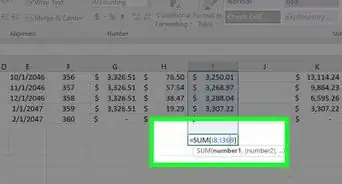
5Type the numbers' cell designations after the = sign. For example, you might type "=A3+C1".
-
6Press ↵ Enter. You should see your sum in the equation cell!


Method 3
Method 3 of 3:Determining a Column's Sum
Method 3
-
1Open Excel.
-
2Type a number into a cell.
-
3Press ↵ Enter. Doing this should move your selected cell down your column by one.
-
4Type in another number. You can repeat this process for each number you wish to add.
-
5Click your column's letter. This should be at the top of the screen.
-
6View your column's sum. You'll find the "Sum" value to the left of the zoom bar in the bottom right corner of Excel.
- You can also hold Ctrl and click each cell you wish to select; the "Sum" value will only display the sum of all selected cells.


Warnings
- You may not be able to view a column's sum on Excel's mobile version.Thanks!