X
This article was written by Nicole Levine, MFA. Nicole Levine is a Technology Writer and Editor for wikiHow. She has more than 20 years of experience creating technical documentation and leading support teams at major web hosting and software companies. Nicole also holds an MFA in Creative Writing from Portland State University and teaches composition, fiction-writing, and zine-making at various institutions.
The wikiHow Tech Team also followed the article's instructions and verified that they work.
This article has been viewed 5,448 times.
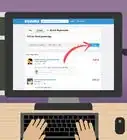
This wikiHow teaches you how to connect a bank account to Venmo when you’re using a computer.
Steps
-
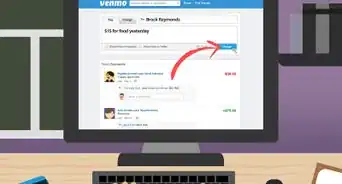
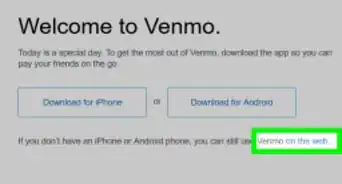
1Point your browser to https://www.venmo.com. You can use any web browser, such as Safari or Chrome, to access Venmo.
- If you haven’t signed in, click Sign In at the top-right corner of the screen, type your login information, then click Log in to Venmo.
-
2Click Settings. It’s at the top-right corner of the screen.Advertisement
-
3Click Banks & Cards. It’s the second item in the left column.
-
4Click Edit payment methods.
-
5Click Link Bank Account…. This appears in a pop-up window. If you don’t see it, make sure you disable your pop-up blocker.
-
6Search for your bank. Type your bank’s name into the search bar, then click its name when it appears.
-
7Enter your online banking login information. This information (such as your username, password, and/or PIN) comes from your bank. If you’re not sure what to enter here, contact your bank for assistance.
-
8Click Continue.
-
9Answer additional security questions. Some banks require additional information to verify your identity. Answer any additional security questions (if prompted), then click Continue.
-
10Click the account you want to add. If you have more than one account linked to Venmo, they’ll all appear here. Once you select an account, you should see a message that says “Bank Account Added” with a green check mark.
- You can only link debit accounts to Venmo. If you don’t see a savings or credit-only account, that’s why.
-
11Select options under “Use this bank for.”
- Payment to friends when Venmo balance isn’t enough: This option gives Venmo permission to pay people with your bank account instead of your Venmo balance.
- Authorized Merchant Payments when Venmo balance is not enough: This is the same as above, but includes businesses that allow you to make purchases with Venmo.
-
12Click Save Settings. You can start using your bank account right away.Advertisement


About This Article

Nicole Levine, MFA
Tech Specialist
This article was written by Nicole Levine, MFA. Nicole Levine is a Technology Writer and Editor for wikiHow. She has more than 20 years of experience creating technical documentation and leading support teams at major web hosting and software companies. Nicole also holds an MFA in Creative Writing from Portland State University and teaches composition, fiction-writing, and zine-making at various institutions. This article has been viewed 5,448 times.
How helpful is this?
Co-authors: 2
Updated: December 7, 2017
Views: 5,448
Categories: Venmo
Advertisement