X
This article was written by Nicole Levine, MFA. Nicole Levine is a Technology Writer and Editor for wikiHow. She has more than 20 years of experience creating technical documentation and leading support teams at major web hosting and software companies. Nicole also holds an MFA in Creative Writing from Portland State University and teaches composition, fiction-writing, and zine-making at various institutions.
The wikiHow Tech Team also followed the article's instructions and verified that they work.
This article has been viewed 51,717 times.
This wikiHow teaches you how to add fun stickers to your TikTok videos on iPhone or iPad.
Steps
-
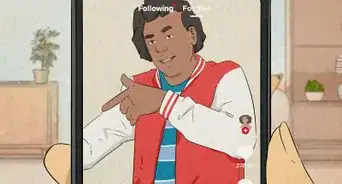
1Open TikTok. It's the icon with a white music note on a black background. You'll usually find it on the home screen.
-
2Tap +. It's at the bottom of the screen. This starts a new video.
-
3Record your video and tap Next.
-
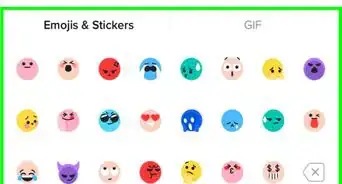
4Tap the sticker button. It's the button with a smiley face.
- To add a text sticker, tap the text button instead. It has a capital A.
-
5Scroll down and tap a sticker. It will appear on the preview.
- To remove a sticker, tap the X in the corner of the sticker.
-
6Adjust the position and size. You can drag the sticker to the desired location. Drag the resize button on the screen to make the sticker smaller or bigger.
-
7Choose when you want the stickers to play. Tap the clock on the sticker, then crop out a portion of video that you want the sticker to be visible.
-
8Tap Next when you're finished.
-
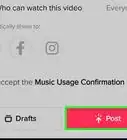
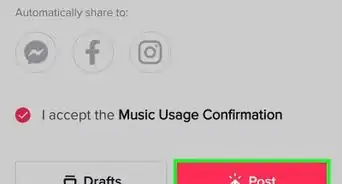
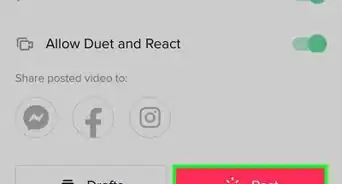
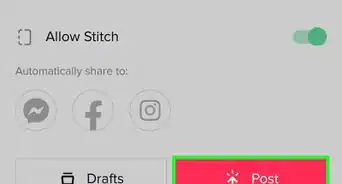
9Add a caption and tap Post. Your new video is now shared.


Community Q&A
-
QuestionHow do I use Instagram on TikTok?
 Zhongli, Archon of Liyue (Aasim)Community AnswerChoose the Instagram or Stories icon when posting your video, then follow the on-screen prompts after the video is posted to TikTok.
 -
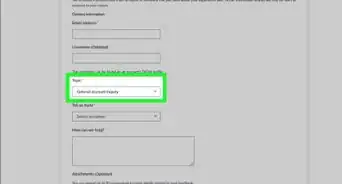
QuestionWhat happens if the sticker option is not there? How do I add the sticker option?Zhongli, Archon of Liyue (Aasim)Community AnswerMake sure that your version of TikTok is up to date. Go to the App Store or Play Store and choose "Update."





About This Article

Nicole Levine, MFA
Tech Specialist
This article was written by Nicole Levine, MFA. Nicole Levine is a Technology Writer and Editor for wikiHow. She has more than 20 years of experience creating technical documentation and leading support teams at major web hosting and software companies. Nicole also holds an MFA in Creative Writing from Portland State University and teaches composition, fiction-writing, and zine-making at various institutions. This article has been viewed 51,717 times.
How helpful is this?
Co-authors: 5
Updated: February 17, 2020
Views: 51,717
Categories: Tik Tok