X
This article was written by Jack Lloyd. Jack Lloyd is a Technology Writer and Editor for wikiHow. He has over two years of experience writing and editing technology-related articles. He is technology enthusiast and an English teacher.
The wikiHow Tech Team also followed the article's instructions and verified that they work.
This article has been viewed 17,907 times.
This wikiHow teaches you how to add friends to your Apple Watch's Activity app. While adding friends in the form of favorite contacts was a feature included in previous versions of the Apple Watch's operating system, users of watchOS 3 and up no longer have access to the Friends app.
Steps
Part 1
Part 1 of 2:Adding a Friend
Part 1
-
1Open your iPhone's Activity app. Tap the Activity app icon, which resembles concentric blue, green, and red circles.
-
2Tap Sharing. It's in the bottom-right corner of the screen.Advertisement
-
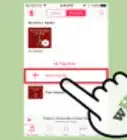
3Tap Get Started. This button is in the middle of the "Sharing" page.
-
4Tap +. It's in the top-right corner of the screen.
-
5Select a contact. Scroll down until you find a contact whom you want to add as a friend, then tap their name to add them to the "To" list.
- You can also type the contact's name into the "To" text field to search for them.
-
6Tap Send. It's in the upper-right corner of the screen. This will send an invitation for the person to link up in your Apple Watch's Activity app.
-
7Wait for the contact to accept your invitation. Once the person accepts your invitation, you'll be able to view their progress in the Activity app.Advertisement


Part 2
Part 2 of 2:Viewing a Friend's Progress
Part 2
-
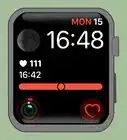
1Open your Apple Watch's Activity app. Open the "Apps" screen by pressing the "Lock" button and then tapping All Apps if necessary, then tap the Activity app icon.
-
2Scroll right to the "Sharing" page. This will open a list of any friends with whom you're sharing your Activity progress.
-
3Select a friend. Tap the name of the friend for whom you want to view Activity progress.
-
4Review your friend's progress for the day. Once your friend's page loads, you can view their Activity progress for the day.
-
5Send a message to your friend if you like. To message a friend within the Activity app, scroll down to the bottom of their page, then tap Send Message and select a message to send.[1]Advertisement


Warnings
- You cannot add a friend who doesn't have an Apple Watch.Thanks!
Advertisement



References
About This Article
Advertisement