This article was written by Darlene Antonelli, MA. Darlene Antonelli is a Technology Writer and Editor for wikiHow. Darlene has experience teaching college courses, writing technology-related articles, and working hands-on in the technology field. She earned an MA in Writing from Rowan University in 2012 and wrote her thesis on online communities and the personalities curated in such communities.
This article has been viewed 2,500 times.
Google offers an extensive catalog of fonts that you can use free of charge. This wikiHow will show you how you can add your favorite fonts from Google's font catalog to Google Slides.
Steps
-
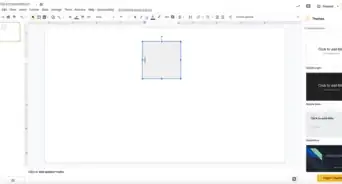
1Go to https://slides.google.com/create in a web browser. You can use any desktop web browser to create a Google Slide and add fonts.
- Log in if prompted.
-
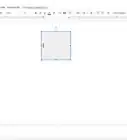
2Click a text box. You won't see the font options unless you click in a text field.
-
3Click the Arial font drop-down. This is the main font drop-down that appears in the middle of the editing menu when you click in a text box and disappears when you click outside a text box.
- If you have your default changed to another font, you'll see that font name instead.
-
4Click More fonts. This is usually the first listing on the menu. A window will all the fonts listed in Google's font catalog will appear.
-
5Select the fonts you want to add. A checkmark will appear next to the selected fonts as they are added to "My fonts" on the right side of the window.
- You can click in the search bar at the top of the window to search for a specific font if you know the name of the font.
- You can also remove a from "My fonts" by clicking the x next to its name.
-
6Click OK. To use the font, you have to select it again from the font drop-down menu.
- You can repeat this process if you want to add more fonts to your font drop-down list.



About This Article

1. Go to https://slides.google.com/create in a web browser.
2. Click in a text box.
3. Click the Ariel font drop-down.
4. Click More fonts.
5. Click to select the fonts you want to add.
6. Click OK.