This article was written by Darlene Antonelli, MA. Darlene Antonelli is a Technology Writer and Editor for wikiHow. Darlene has experience teaching college courses, writing technology-related articles, and working hands-on in the technology field. She earned an MA in Writing from Rowan University in 2012 and wrote her thesis on online communities and the personalities curated in such communities.
This article has been viewed 2,871 times.
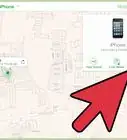
With iOS 13 came some drastic changes to the locations of some settings. This wikiHow will teach you how to activate Find My iPhone on iOS 13 as well as iOS 12 and earlier.
Steps
Method 1
Method 1 of 2:Using iOS 13
-
1
-
2Tap your name. This is usually the first item displayed in the menu.Advertisement
-
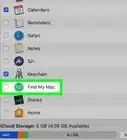
3Tap Find My. This is usually in the second grouping of the menu under "iCloud."
-
4Tap Find My iPhone. If the text next to "Find My iPhone" already says "On," you can skip this step as Find My iPhone is already enabled.
-
5Tap to turn on "Find My iPhone." This is usually the first toggle in the menu.
- If you want to be able to find your iPhone even when it's offline (if it's turned off, for example), tap the switch to turn on "Enable Offline Finding."
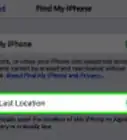
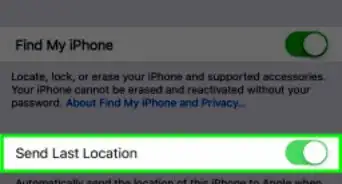
- Turn on "Send Last Location" to have your iPhone send your last location when the battery is low to Apple.[1]
Advertisement


Method 2
Method 2 of 2:Using iOS 12 or Earlier
-
1
-
2Tap your name. This is usually the first item displayed in the menu.
- If you're using iOS 10 or earlier, you can skip this step, as your name won't be a menu option.
-
3Tap iCloud. This is usually in the second grouping of menu options next to a cloud icon.
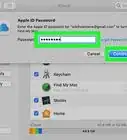
- You may be prompted to enter your password to continue.
-
4Tap Find My iPhone. You might need to scroll down the page to find this menu option.
-
5Tap the switch to toggle on "Find My iPhone." You'll also be prompted to turn on location services, if they aren't already enabled.[2]Advertisement










About This Article

1. Open Settings.
2. Tap your name.
3. Tap Find My.
4. Tap Find My iPhone.
5. Tap to turn on "Find My iPhone."