This article was written by Darlene Antonelli, MA. Darlene Antonelli is a Technology Writer and Editor for wikiHow. Darlene has experience teaching college courses, writing technology-related articles, and working hands-on in the technology field. She earned an MA in Writing from Rowan University in 2012 and wrote her thesis on online communities and the personalities curated in such communities.
This article has been viewed 5,303 times.
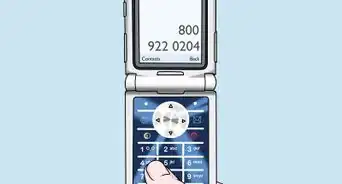
This wikiHow will teach you how to access Verizon voicemail on an Android, iPhone, and basic phone.
Steps
-
1
-
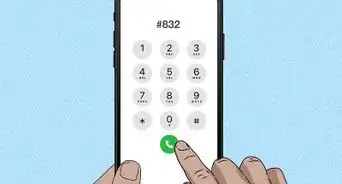
2Dial *86. This is also *VM.Advertisement
-
3
-
4Press # (if you hear a greeting). This will interrupt the greeting and let you continue.
-
5Follow the prompts to enter your password and get your voicemail. If you don't see the keyboard during the call on your Android or iPhone, you can tap the keypad icon to see the keys you need to enter your password.[1]Advertisement








About This Article

1. Open the phone app (Android or iPhone only).
2. Dial *86.
3. Tap the call icon (Android and iPhone only).
4. Press #.
5. Follow the prompts to enter your password and get your voicemails.